App invite
Get VeloConnect
Open the invite on your phone
Your company invited you to VeloConnect. Install the app, then open the invite email again and tap the button once more.
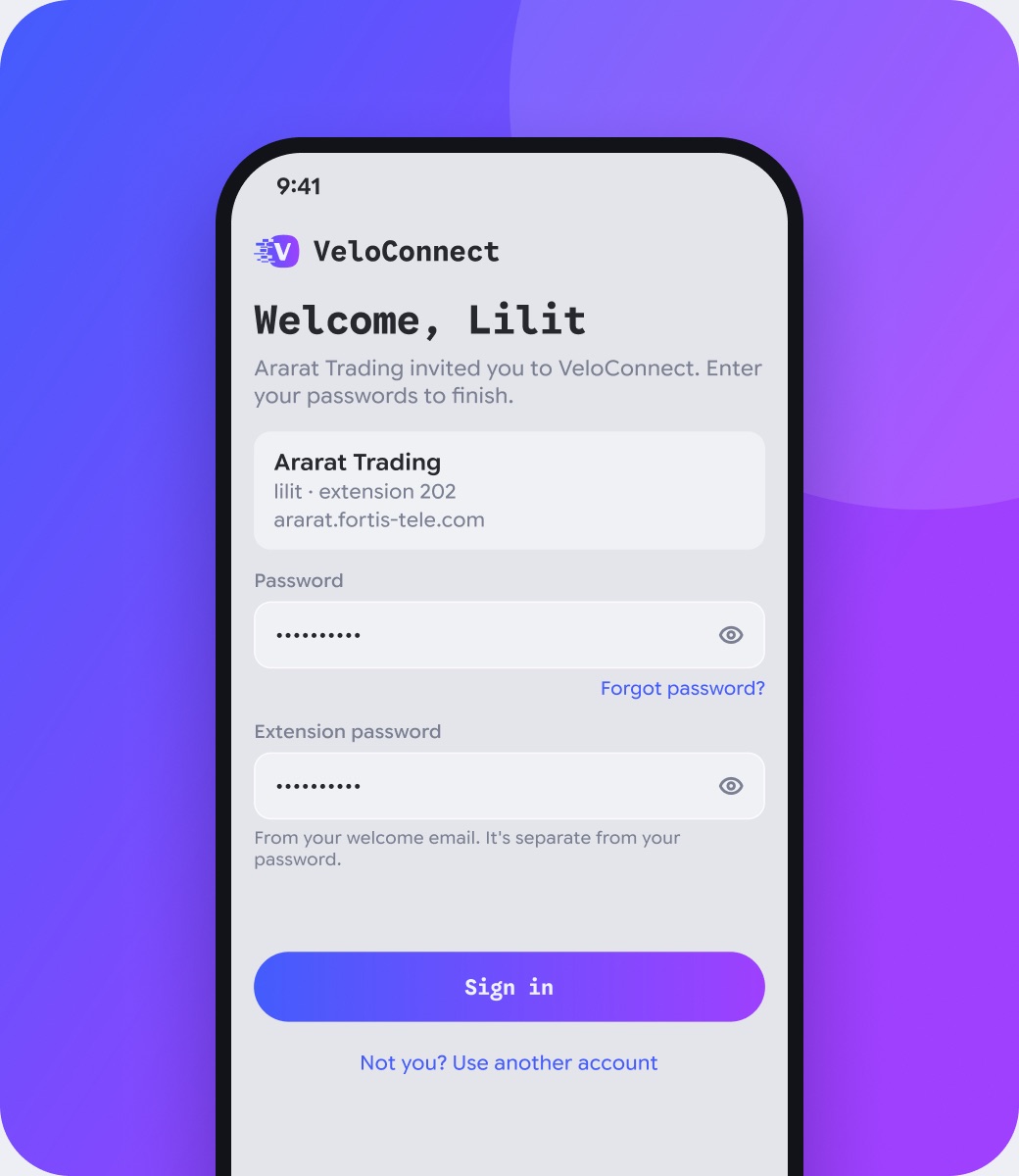
VeloConnect puts your company phone line on your mobile. Open the invite email on your phone and tap “Set up VeloConnect”: the app opens with your company and user name filled in.
Приглашение
Установите VeloConnect
Откройте приглашение на телефоне
Ваша компания пригласила вас в VeloConnect. Установите приложение, затем снова откройте письмо с приглашением и нажмите кнопку ещё раз.
VeloConnect переносит рабочую линию компании в ваш смартфон. Откройте письмо с приглашением на телефоне и нажмите «Настроить VeloConnect»: приложение откроется с уже заполненными компанией и именем пользователя.
Հրավեր
Տեղադրեք VeloConnect-ը
Բացեք հրավերը հեռախոսում
Ձեր ընկերությունը ձեզ հրավիրել է VeloConnect։ Տեղադրեք հավելվածը, ապա նորից բացեք հրավերի նամակը և կրկին սեղմեք կոճակը։
VeloConnect-ն ընկերության հեռախոսագիծը հասանելի է դարձնում ձեր սմարթֆոնում։ Բացեք հրավերի նամակը հեռախոսում և սեղմեք «Կարգավորել VeloConnect-ը»․ հավելվածը կբացվի ընկերության և օգտանվան լրացված տվյալներով։
Already have VeloConnect? Open the invite email on that phone and tap the button there.
No app yet? Install it first, then tap the button in the email again. The invite works once and expires 24 hours after it was sent.
VeloConnect уже установлен? Откройте письмо с приглашением на этом телефоне и нажмите кнопку там.
Приложения ещё нет? Сначала установите его, затем снова нажмите кнопку в письме. Приглашение действует один раз и 24 часа после отправки.
VeloConnect-ն արդեն տեղադրվա՞ծ է։ Բացեք հրավերի նամակը այդ հեռախոսում և սեղմեք կոճակը այնտեղ։
Հավելվածը դեռ չունե՞ք։ Նախ տեղադրեք այն, ապա կրկին սեղմեք նամակի կոճակը։ Հրավերը գործում է մեկ անգամ և ուղարկելուց հետո 24 ժամ։